Installation
Learn how to install Lista Recurring Events on your WordPress site.
Download the Plugin
- Purchase the plugin from listapage.au
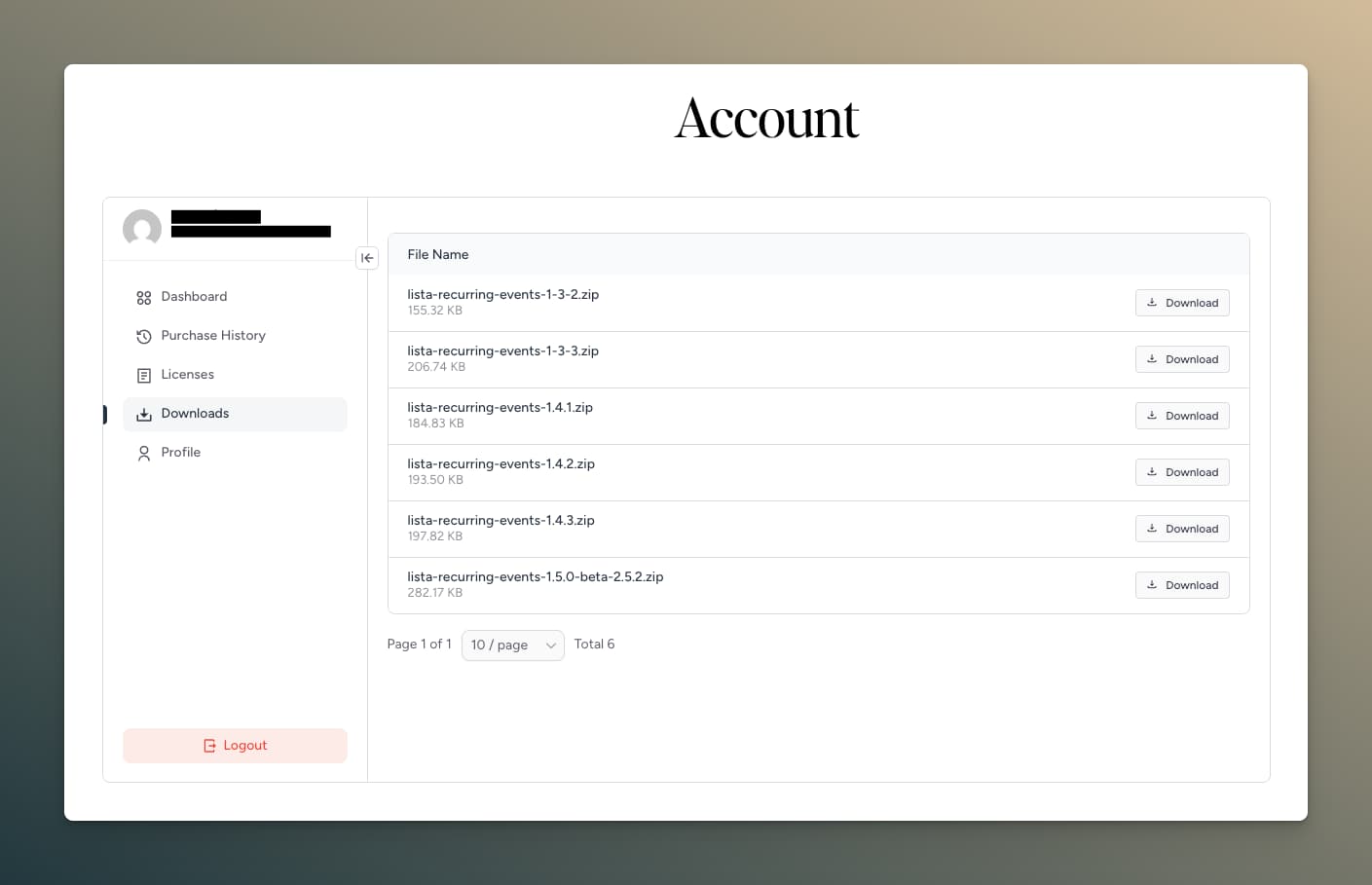
- Once you are logged into your account, you can download Lista Recurring Events plugin from the Downloads tab.
Install via WordPress Admin
- Log in to your WordPress admin dashboard
- Navigate to Plugins → Add New
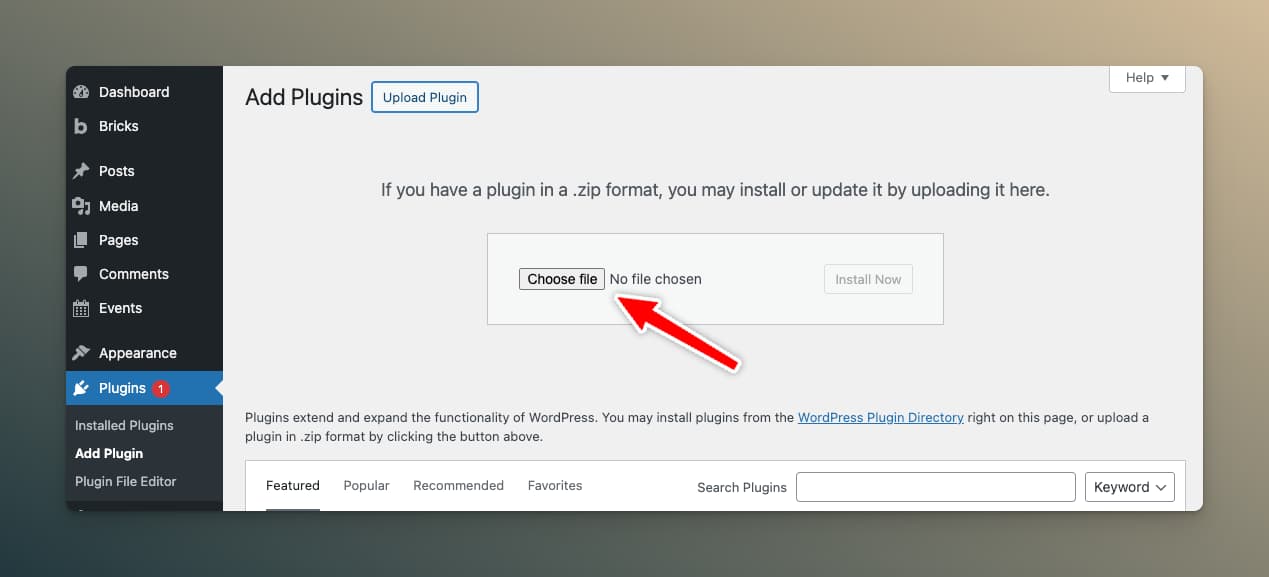
- Click the Upload Plugin button at the top of the page
- Click Choose File and select the downloaded
.zipfile - Click Install Now
- After installation completes, click Activate Plugin
Install via FTP
If you prefer manual installation:
- Extract the
lista-recurring-events.zipfile on your computer - Connect to your server via FTP
- Upload the
lista-recurring-eventsfolder to/wp-content/plugins/ - Log in to WordPress admin and navigate to Plugins
- Find "Lista Recurring Events" and click Activate
Verify Installation
After activation, you should see:
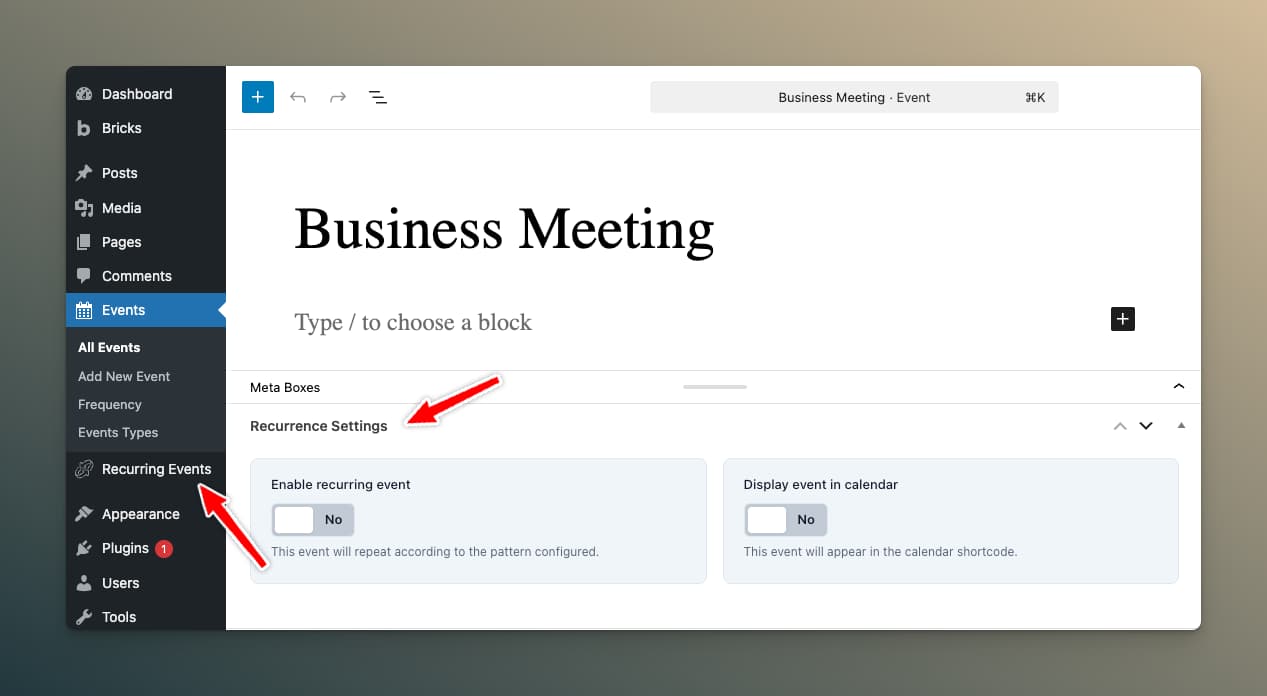
- A new Recurring Events menu item in your WordPress admin sidebar
- A "Recurrence Settings" metabox when editing event posts
Activate Your License
To unlock Pro features:
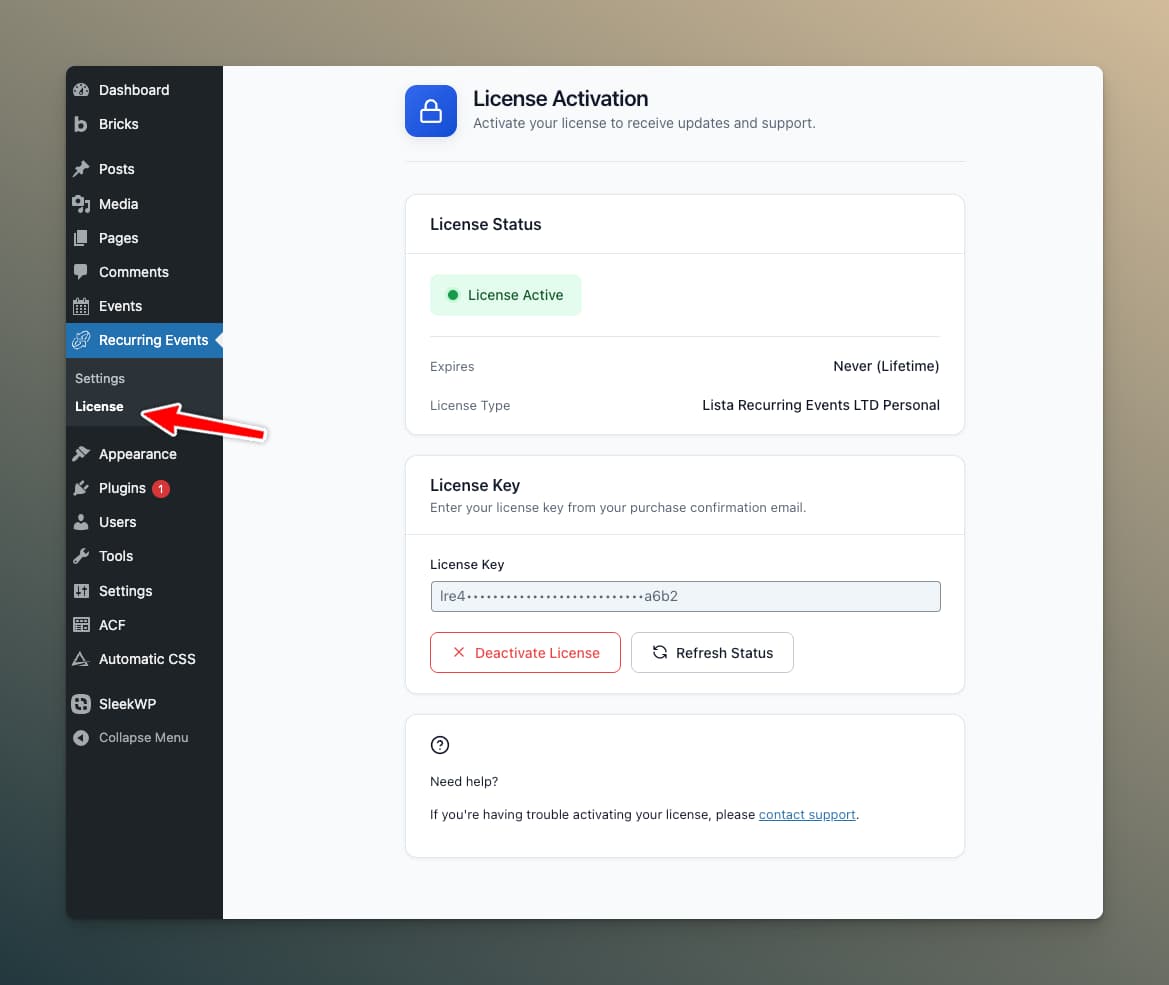
- Go to Recurring Events → Settings
- Click the License tab
- Enter your license key
- Click Activate License
tip
Your license key was emailed to you after purchase and can be found in your account. Check your spam folder if you can't find it.
Next Steps
Now that you've installed the plugin: